

Data analysis#
idtracker.ai’s job ends with the trajectory files, but there are more ways to get information from a session. This page covers idtracker.ai’s internal objects, the identity clusters, and our trajectory analysis tools.
idtracker.ai objects inspection#
The preprocessing folder of a session holds idtracker.ai’s internal objects, with more information than the trajectory files: every detected blob with its contour, area, orientation, and so on. The Code reference lists their methods and properties.
The example below loads the ListOfBlobs, rebuilds the trajectories from it, and extracts the area of each identified Blob:
Example to extract Blob areas and trajectories
import numpy as np

from idtrackerai import ListOfBlobs

list_of_blobs = ListOfBlobs.load(
    "session_folder/preprocessing/list_of_blobs.pickle"
)
n_animals = 8

trajectories = np.full((list_of_blobs.number_of_frames, n_animals, 2), np.nan)
areas = np.full((list_of_blobs.number_of_frames, n_animals), np.nan)

# ListOfBlobs.all_blobs is a flat view of ListOfBlobs.blobs_in_video
# for blob in blobs.all_blobs:

for blobs_in_frame in list_of_blobs.blobs_in_video:
    for blob in blobs_in_frame:
        blobs_identities = list(blob.final_identities)
        blobs_centroids = list(blob.final_centroids)

        # identity=0 is a null identity, non-identified blob.
        # identity=None means the blob has not been processed by idtracker.ai,
        # this can happen in unfinished sessions

        for identity, centroid in zip(blobs_identities, blobs_centroids):
            if identity not in (None, 0):
                trajectories[blob.frame_number, identity - 1] = centroid

        # extract, for example, the blob area when the blob is an individual
        if blob.is_an_individual and len(blobs_identities) == 1:
            identity = blobs_identities[0]
            if identity not in (None, 0):
                areas[blob.frame_number, identity - 1] = blob.area

                # other properties from the blob
                #   - blob.convexHull  # np.ndarray
                #   - blob.bbox_corners  # tuple[tuple[int, int], tuple[int, int]]
                #   - blob.extension  # float
                #   - blob.centroid  # tuple[float, float]
                #   - blob.orientation  # float
Cluster inspection#
In sessions tracked with version 6 or later, you can visualize how well the contrastive network separates the animals:
idtrackerai_inspect_clusters path/to/session_folder
The command computes the embedding of each identification image with the trained contrastive network (a ResNet) and saves the embeddings in a CSV file. It then draws a t-SNE scatter plot of the embeddings, where each animal should appear as a separate cluster. The results are saved in session_folder/cluster_inspection.
The points of predicted_t-SNE.png are colored by the identities predicted by idtracker.ai, which are also written to the predicted_id column of the CSV file. If you have ground-truth identities (for example, trajectories corrected with the Validator), pass them with --gt_path. This adds a second plot, groundtruth_t-SNE.png, and a groundtruth_id column.


Examples of t-SNE visualizations of image embeddings using the videos test_B.avi from Test the installation (left) and drosophila_80 from the data repository (right).
Options (also listed by idtrackerai_inspect_clusters -h):
Option |
Description |
|---|---|
|
Maximum number of images per animal used for the t-SNE, to make it faster. Default: 500. Set it to |
|
Ground-truth trajectories, as a trajectory file or a session folder. Each image gets the identity of the ground-truth trajectory at its position. |
Trajectorytools#
trajectorytools is a Python package for basic trajectory analysis.
The idtrackerai_notebooks repository has analysis notebooks built with trajectorytools, including analyses from [1]. Each one can be opened in Google Colab:
T0_loading_idtrackerai_trajectories.ipynb
 Shows how to load, preprocess, and visualize animal trajectories from idtracker.ai using trajectorytools.
T1_trajectories_analysis.ipynb
Analyzes distributions and statistics of positions, speeds, accelerations, and curvatures from trajectory data.T2_bouts_analysis.ipynb
Detects and analyzes fish movement bouts, including bout durations, speed changes, and kinematic features.T3_collective_trajectories_analysis.ipynb
Examines collective behavior, group metrics, neighbor interactions, and inter-individual distances in animal groups.
Some of the results of these notebooks for a video of 10 juvenile zebrafish:
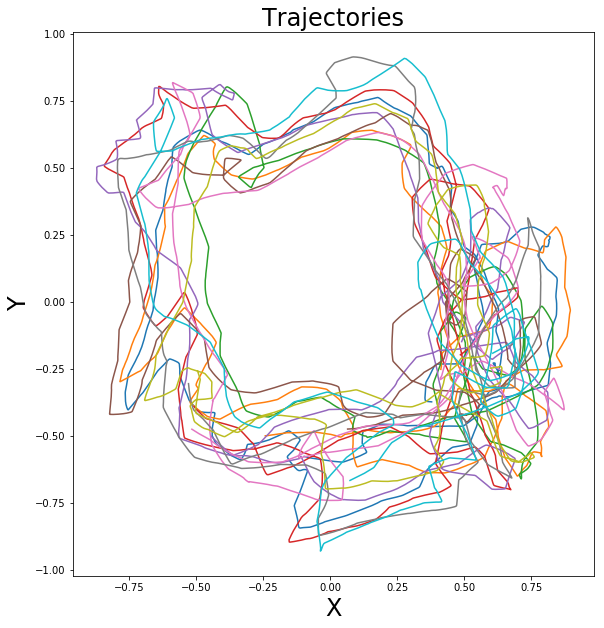

Smoothed trajectories (left) and density of neighbors around a focal fish (right)
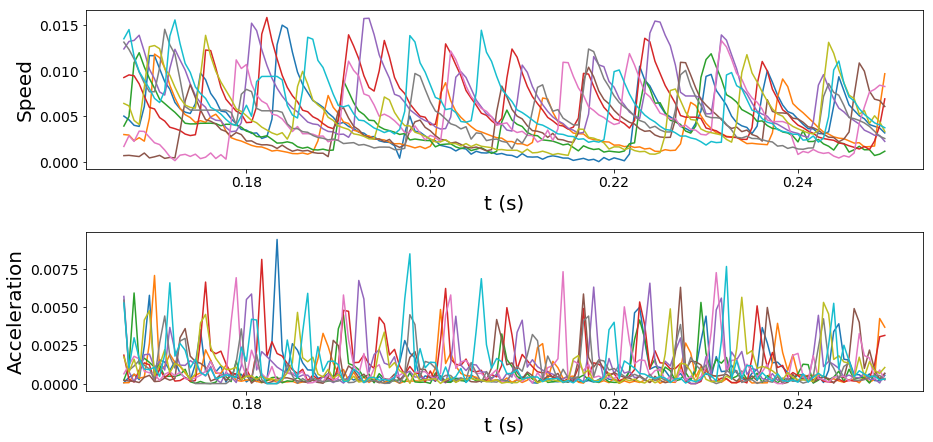
Velocities and accelerations#
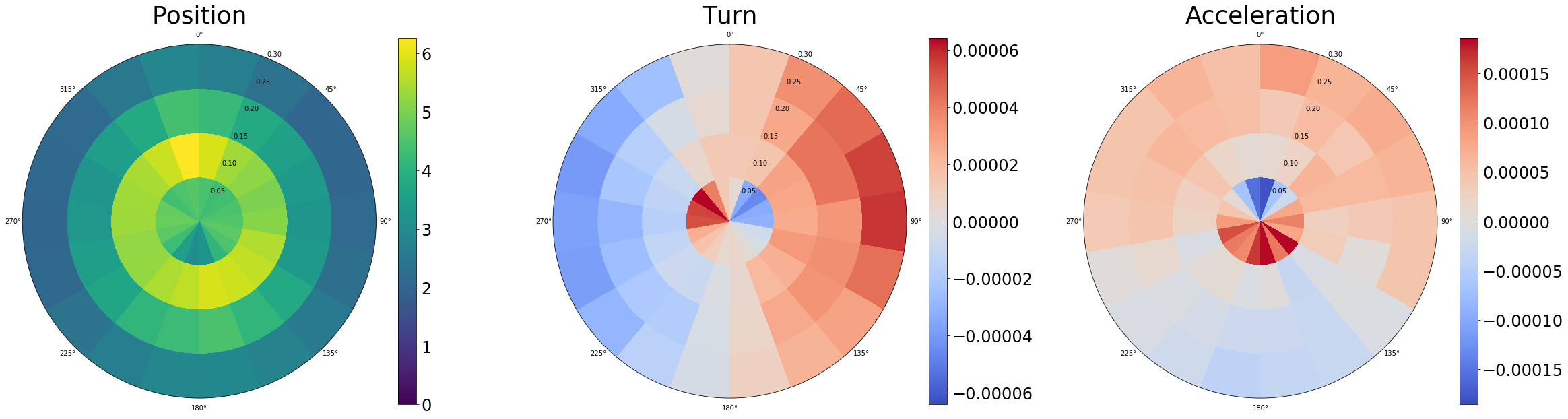
Polar distributions of positions, turnings and accelerations#
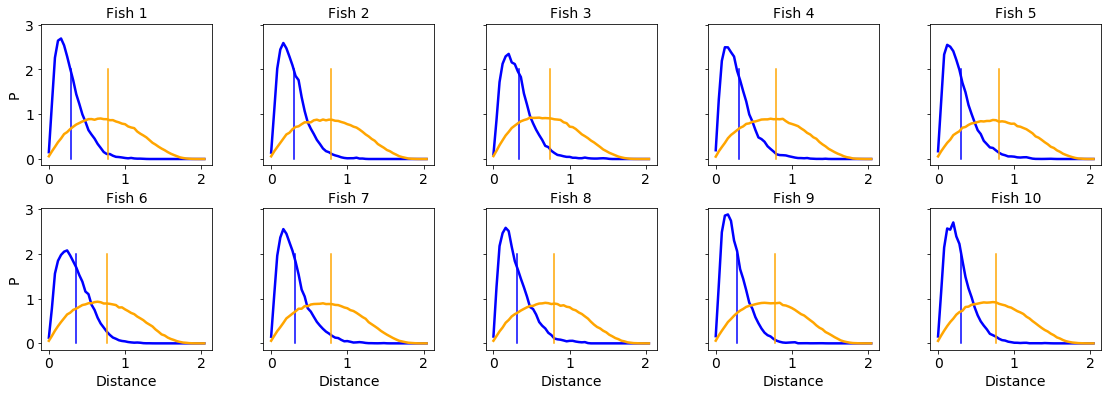
Inter-individual distance histograms compared with shuffled trajectories#
Fish Midline#
Fish Midline is a short Python script that extracts the posture (nose, tail and midline) of animals tracked with idtracker.ai. It was written for fish but is easy to adapt to other animals.
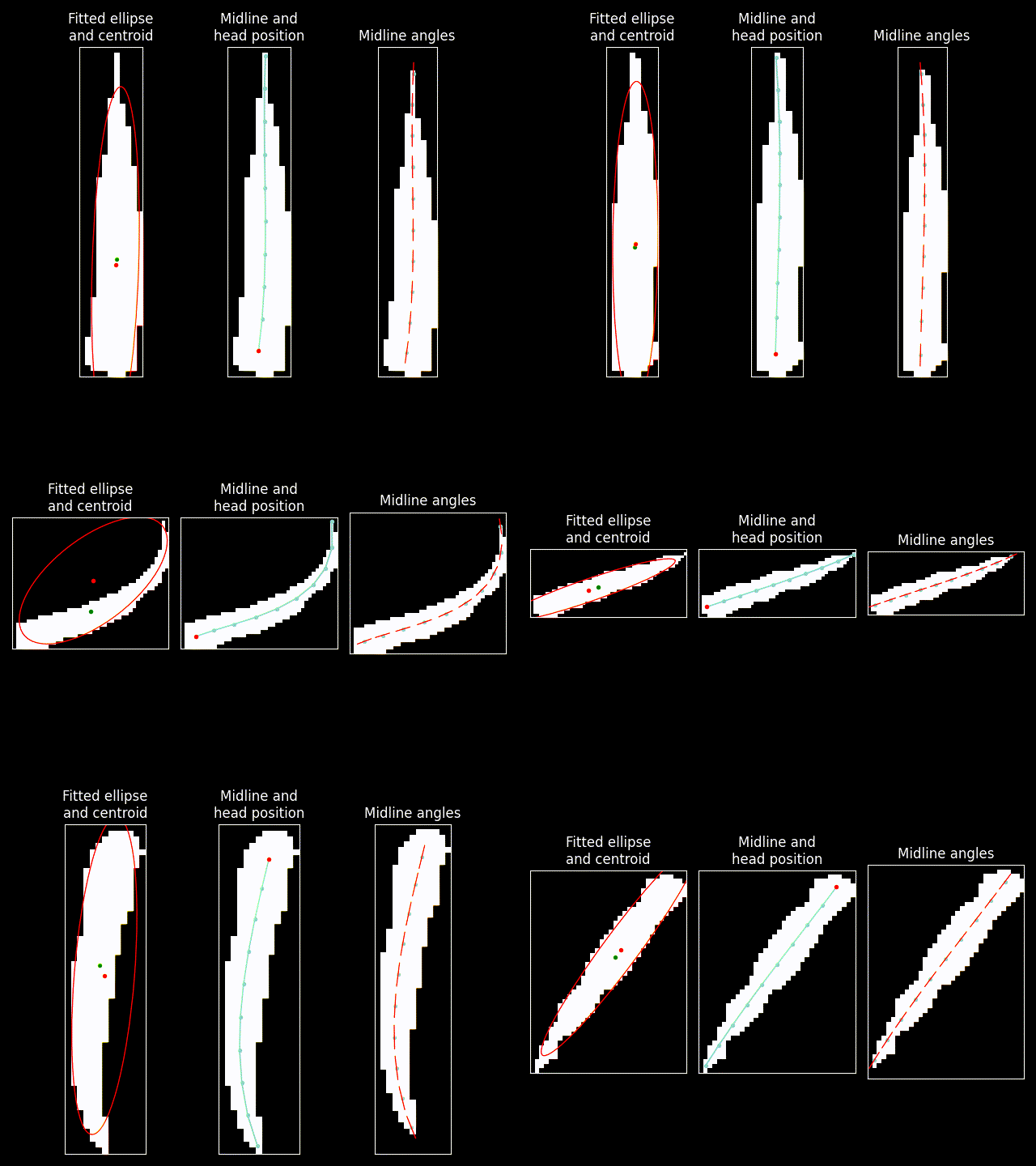
Example of posture information extracted with Fish Midline.#
References